
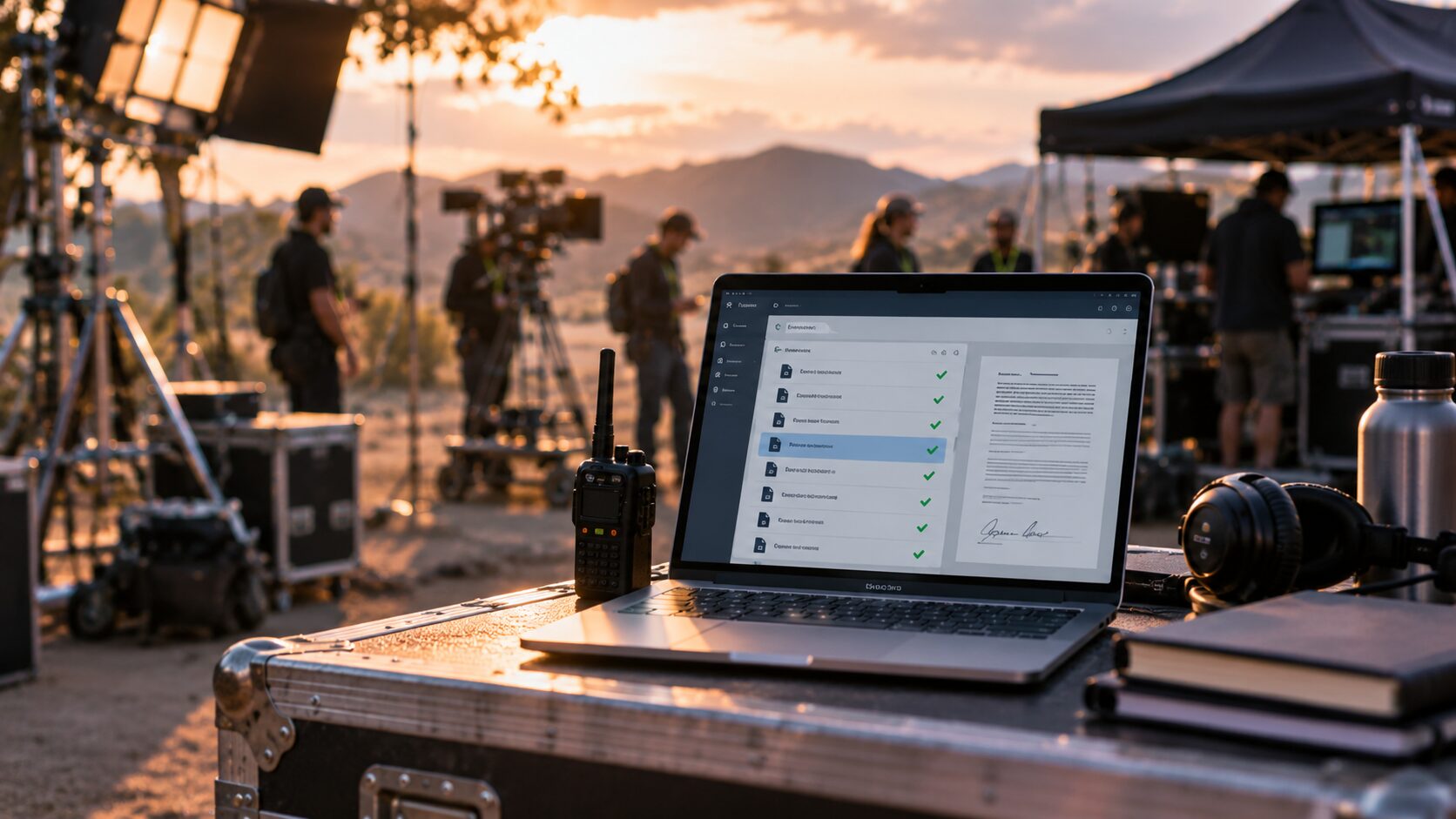


Every film and television production generates a mountain of paperwork. Call sheets, release forms, safety plans, compliance documents, incident reports, contractor certifications, and risk assessments all need to reach the right people at the right time. For many production companies, that process still runs through email threads, shared drives, and spreadsheets that were never designed for the pace of a working set.
The result is predictable: documents get lost, approvals stall, and version control breaks down when it matters most. Production document management gives your team a structured way to create, route, approve, and store every piece of production documentation from pre-production through wrap. This guide covers everything you need to know to replace those scattered workflows with digital forms, approvals, and purpose-built systems.
SetConnect centralises document management, digital forms, compliance tracking, and crew communication in a single platform built specifically for film and television productions. Throughout this guide, you will see how purpose-built tools compare to the patchwork approach most productions still rely on.
Key Takeaways: Production Document Management
- Email and spreadsheet workflows create version confusion, approval bottlenecks, and compliance gaps that put productions at risk.
- Digital forms replace paper-based processes with structured, trackable documents that can be deployed and completed on set instantly.
- Automated approval workflows route documents to the right reviewers in the right order, eliminating manual chasing and delays.
- SetConnect gives production teams a centralised platform for digital forms, approvals, compliance tracking, and crew coordination across locations.
- Choosing production-specific software over generic document tools reduces configuration time, regulatory risk, and onboarding effort for crew.
What Is Production Document Management?
Production document management is the practice of creating, organising, distributing, and controlling every document your production generates. This includes safety plans, risk assessments, appearance releases, crew contracts, daily reports, call sheets, and compliance certifications.
In a well-managed system, each document has a defined owner, a clear approval path, version control, and an audit trail. Anyone who needs a document can find the current approved version without searching through inboxes or asking around.
For film and television productions, the stakes are higher than in many other industries. Documents often carry legal weight. A missing release form can delay distribution. An outdated safety plan can expose your production to regulatory penalties. An approval that sits unread in someone’s inbox can hold up an entire department.
Why Do Film Productions Still Rely on Emails and Spreadsheets?
Most production teams do not choose email and spreadsheets because those tools are ideal. They choose them because they are familiar and available. A line producer can spin up a Google Sheet for crew tracking in minutes. A production coordinator can email a PDF release form to a department head and wait for a reply.
These tools work can work however issues can appears as productions grow. Multiple locations, rotating crews, international compliance requirements, and tight schedules create conditions where manual document handling breaks down quickly.
A 2026 report by Wrapbook found that more than 80% of production accounting teams rely on email and manual data entry to complete core tasks. That statistic reflects a broader pattern: the screen industry has been slow to adopt digital document workflows, even as production complexity has increased dramatically.
What Problems Does Email-Based Document Handling Create?
Email was designed for communication, not for document control. When your production runs documents through inboxes, several problems emerge consistently.
Version Confusion Across Departments
When a safety plan is updated and emailed to 15 people, there is no guarantee everyone opens the new version. Some crew members will continue working from the old PDF on their desktop. On a fast-moving set, this kind of confusion creates real risk.
Approval Bottlenecks That Stall Production
An approval request buried in a busy inbox does not move forward. Without visibility into where a document sits in the review process, production coordinators resort to follow-up emails, text messages, and phone calls. Each manual chase adds time and friction to a process that should be automatic.
No Centralised Audit Trail
When an insurer, regulator, or studio asks for proof that a safety plan was approved before a specific shoot day, your team needs a clear record. Email threads are not audit trails. Reconstructing who approved what, and when, from scattered messages is time-consuming and unreliable.
Compliance Gaps That Surface Too Late
Compliance documents, such as contractor certifications, crew inductions, and location permits, often have deadlines. If those deadlines live in a spreadsheet that one person maintains, a single oversight can leave your production exposed. You may not discover the gap until an audit, an incident, or a claim.
What Are Digital Forms in Production Document Management?
Digital forms replace paper documents and static PDFs with structured, fillable templates that capture data consistently every time. In a production context, digital forms cover safety check-ins, appearance releases, incident reports, crew onboarding questionnaires, equipment sign-outs, and dozens of other recurring documents.
A well-designed digital form does more than collect information. It validates entries in real time, routes completed forms to the right people automatically, stores responses in a searchable database, and creates a timestamped record of every submission.
For production teams, the shift from paper to digital forms eliminates several pain points. Forms no longer get lost between set and the production office. Data does not need to be re-entered from handwritten sheets. Completion rates become visible across the entire crew.
How Digital Forms Work on Set
On a typical production, a crew member opens the form on their phone or tablet, completes it on location, and submits it directly to the production management system. The SetConnect Cast and Crew App enables exactly this workflow. Crew members can complete safety check-ins, submit incident reports with photos and witness details, and access production documents from wherever they are on set.
The submitted form is immediately available to administrators, health and safety officers, and production managers through the SetConnect Admin Portal. No scanning, no re-entry, no waiting for someone to drive paperwork back to the office.
Building Custom Forms Without Code
Every production has unique documentation requirements. A commercial shoot in Auckland has different compliance needs than a six-part series filming across three countries. Generic form tools require significant configuration to match production-specific workflows.
The SetConnect Form Builder lets your team create, customise, and deploy operational, release, safety, and compliance forms without writing code. You can choose from pre-built templates or build forms from scratch using text fields, checkboxes, toggles, and embedded content. Forms can be categorised by type, deployed across departments and locations, and tracked for completion through the admin portal.
How Do Document Approval Workflows Improve Production Operations?
An approval workflow defines the path a document follows from creation to final sign-off. Instead of relying on someone to remember who needs to review what, the system routes each document to the correct reviewers in the correct order, tracks their decisions, and notifies relevant people when action is needed.
For production teams, approval workflows address several recurring problems. Safety plans get reviewed by the health and safety manager before they reach the crew. Contractor certifications get verified before the contractor arrives on set. Appearance releases get signed and stored before footage enters post-production.
Sequential and Parallel Approvals
Some documents need to pass through reviewers in a specific order. A risk assessment might need the health and safety officer’s review before the production manager signs off. Other documents can be reviewed simultaneously by multiple people. A location safety plan might need input from the location manager, the health and safety team, and the security coordinator at the same time.
A capable approval system supports both patterns and lets your team configure the routing to match the actual decision-making structure of your production.
Escalation and Deadline Management
When an approval sits untouched for too long, the system should escalate it. Automated reminders notify the reviewer. If a defined deadline passes, the system can alert a supervisor or reassign the task. This prevents documents from silently stalling in someone’s queue while the production moves forward without them.
Audit-Ready Approval Records
Every approval decision, including who approved, when they approved, and any notes they attached, is logged automatically. This creates the kind of audit trail that insurers and regulators expect. When a question arises about a specific document, you can trace its entire history without reconstructing the story from email threads.
What Should a Production Document Management System Include?
Not every document management tool is suitable for film and television production. Generic platforms may handle storage and basic sharing, but they rarely account for the unique demands of a working set. Here are the core capabilities to look for.
Centralised Document Storage With Version Control
All production documents should live in one place, organised by production, location, and department. Version control ensures that only the current approved document is accessible for active use, while previous versions are archived with a clear revision history.
Role-Based Access Controls
Different crew members need access to different documents. A department head may need to see and approve safety plans. A contractor may only need access to their own induction materials. Role-based permissions keep sensitive documents protected while giving everyone access to what they need.
Mobile Access for On-Set Teams
Crew members and cast work on location, often in environments without reliable desktop access. A production document management system needs a mobile-first interface that lets people complete forms, access documents, and submit reports from their phones. SetConnect was built for this exact scenario, with geofenced sign-ins, QR code access, and mobile incident reporting.
Integrated Compliance Tracking
Compliance is not a one-time check. Certifications expire. Regulations change between jurisdictions. New crew members join mid-production and need to complete inductions before they step on set.
Your system should track compliance status in real time and alert administrators before deadlines pass. SetConnect manages contractor qualifications, sends expiry alerts, and monitors induction completion across your entire production.
Digital Form Builder
The ability to create and deploy custom forms without external tools or developer support is essential for productions that operate across multiple formats and jurisdictions.
Real-Time Dashboards and Reporting
Production leadership needs visibility into document status, compliance rates, incident reports, and crew activity across all locations. Real-time dashboards provide that view without requiring manual report compilation. SetConnect provides centralised dashboards with filters and export capabilities for operational and compliance reporting.
Step-by-Step: How to Transition From Emails to Digital Document Management
Moving from an email-and-spreadsheet workflow to a structured document management system does not happen overnight. Here is a practical approach to making the transition.
Step 1: Audit Your Current Document Workflow
Start by mapping every document your production creates, routes, and stores. Identify where each document originates, who reviews it, where it is stored, and how long each step takes. Pay special attention to documents that frequently cause delays, confusion, or compliance issues.
This audit will reveal your biggest pain points and help you prioritise which workflows to digitise first.
Step 2: Define Owners, Reviewers, and Approvers
Every document type needs a clear chain of responsibility. Assign an owner who is accountable for the document’s accuracy and currency. Define who reviews it, who approves it, and who needs to be notified when it changes. Write these roles down before you configure any system.
Step 3: Choose a Platform Built for Production
Generic document management tools will require significant customisation to match production workflows. Purpose-built platforms like SetConnect come pre-configured for the screen industry, with production-specific forms, compliance tracking, crew management, and health and safety planning built in.
Step 4: Start With High-Impact Workflows
Do not try to digitise everything at once. Begin with the workflows that cause the most friction: safety plan approvals, crew inductions, incident reports, or appearance releases. Get those running reliably before expanding to other document types.
Step 5: Train Your Team and Gather Feedback
A system only works if people use it. Provide hands-on training for every role, from production coordinators to crew members on set. Use the first production as a pilot. Collect feedback, adjust your workflows, and refine your forms before rolling out across all productions.
Step 6: Establish Review Cycles and Continuous Improvement
Production document management is not a one-time setup. Schedule regular reviews of your document templates, approval workflows, and compliance tracking processes. After each production wraps, conduct a brief retrospective to identify what worked and what needs adjustment.
How Does Production-Specific Software Differ From Generic Document Tools?
Generic document management platforms like shared drives, general-purpose form builders, and enterprise content management systems can store and share files. They were not designed for the operational realities of a film or television set.
Production Context Built In
A production-specific platform understands the structure of your work. It knows that a production has locations, departments, contractors, and crew members who rotate between projects. It organises documents accordingly, rather than forcing you to build that structure from scratch using folders and tags.
Compliance for Multiple Jurisdictions
If your production shoots in the United States, the United Kingdom, and Australia, you are dealing with different regulatory frameworks: OSHA, HSE, and Safe Work Australia, among others. A production-specific platform adapts to local compliance requirements without abandoning the consistent workflows your team relies on across every location.
On-Set Workflows That Match Real Conditions
Crew members on set need to complete forms between takes, report incidents immediately, and access safety documents on their phones. Generic tools rarely prioritise mobile-first, field-ready interfaces.
SetConnect was built around the understanding that your team works on location, not behind a desk. Features like geofenced sign-ins, on-set digital signatures, and mobile hazard reporting reflect that reality.
What Role Does Document Management Play in Production Safety?
Document management and production safety are deeply connected. Safety plans, risk assessments, incident reports, contractor certifications, and emergency response procedures are all documents that need to be managed with precision. When document management fails, safety outcomes suffer.
Real-Time Access to Safety Information
A crew member who needs to check the evacuation plan for their current location should not have to call the production office or search through email. Digital document management makes safety information available instantly, on any device, at any location. This is particularly important for productions operating across multiple sites where conditions can change rapidly.
Incident Documentation and Response
When an incident occurs, the quality and timeliness of the documentation directly affects your production’s ability to respond, investigate, and prevent recurrence. Digital incident reporting captures structured data at the moment it happens, rather than relying on handwritten notes that get transcribed hours or days later.
SetConnect’s incident reporting system lets crew submit detailed reports from the mobile app, with photos, witness information, and automatic escalation notifications to production management and health and safety officers.
Proactive Risk Management Through Document Visibility
When your risk assessments, hazard registers, and safety plans are centralised and visible to the entire team, your production can shift from reactive to proactive risk management. Rather than discovering a gap during an incident investigation, your health and safety team can identify missing documentation, overdue reviews, or incomplete inductions before they create exposure.
How California’s SPPP Is Changing Document Requirements for Productions
New regulatory developments are raising the bar for production document management. California’s Safety on Productions Pilot Program (SPPP), which took effect in July 2025 for productions claiming the Film and Television Tax Credit 4.0, requires productions to make all safety documents electronically accessible to crew and union representatives.
The SPPP also mandates daily safety meetings, documented risk assessments, and a post-production safety evaluation submitted to the California Film Commission. Productions that cannot demonstrate compliance with these requirements risk losing their tax credit eligibility.
This kind of regulatory shift is not limited to California. Across the United States, the United Kingdom, Australia, and New Zealand, regulators are increasingly expecting digital records, timestamped audit trails, and demonstrable compliance processes. Productions that still rely on paper forms and email approvals will find it harder to meet these expectations.
How to Choose the Right Production Document Management Platform
Selecting a platform requires more than comparing feature lists. Consider these factors when evaluating your options.
Is It Built for Film and Television?
A platform designed for construction, manufacturing, or general business will require extensive configuration to match production workflows. Look for software that understands production structures, crew dynamics, and the regulatory landscape of the screen industry.
Does It Support Mobile-First Workflows?
If your crew cannot complete forms, access documents, and submit reports from their phones on set, the platform will not get used. Mobile functionality should be a core feature, not an afterthought.
Can It Scale Across Productions and Locations?
Your document management needs will differ between a two-week commercial and a multi-season series filming in five countries. The platform should scale without requiring you to rebuild your workflows for each new production.
What Does the Audit Trail Look Like?
Ask for a demonstration of the platform’s audit capabilities. You need to see exactly who created, reviewed, approved, and accessed every document, with timestamps and notes attached. This is the record your insurers, regulators, and studio partners will ask for.
How Does It Handle Compliance Across Jurisdictions?
If your productions span multiple countries, the platform should support different regulatory requirements without forcing you to maintain separate systems for each jurisdiction.
In Conclusion: Building a Document Management Foundation for Every Production
Production document management is not a technology upgrade. It is a fundamental shift in how your team creates, routes, approves, and stores the documents that keep your production running safely and compliantly.
The transition from emails and spreadsheets to digital forms, automated approvals, and centralised document storage gives you version control, audit trails, real-time visibility, and the compliance infrastructure that regulators and insurers increasingly expect.
SetConnect provides the purpose-built platform that film and television productions need to manage documents, forms, approvals, and compliance across every location and every department. If you are ready to replace the patchwork of tools that your team has outgrown, explore how the most organised productions in the industry manage their workflows.
FAQs About Production Document Management
What is production document management for film and TV?
Production document management is the structured process of creating, routing, approving, and storing every document a film or television production generates. This includes safety plans, crew contracts, compliance certifications, and incident reports. A centralised system replaces scattered emails and shared drives with version-controlled, auditable workflows.
Why should production companies replace email-based document workflows?
Email-based workflows create version confusion, approval delays, and compliance gaps that grow with production complexity. A dedicated document management system routes documents automatically, tracks approvals, and maintains audit trails that satisfy regulatory and insurance requirements.
How does SetConnect handle digital forms for production teams?
SetConnect’s Form Builder lets your team create, customise, and deploy digital forms without code. Forms can be tailored to specific productions, locations, and departments, then tracked for completion through the admin portal. Crew members submit forms directly from the mobile app on set.
What features should I look for in production document management software?
Look for centralised storage with version control, role-based access, mobile-first interfaces, automated approval workflows, integrated compliance tracking, a digital form builder, and real-time dashboards. Software built specifically for film and television will include these features pre-configured for production workflows.
How does document management improve on-set safety?
Centralised document management gives your crew instant access to current safety plans, risk assessments, and emergency procedures from any device. SetConnect’s mobile app enables immediate incident reporting with photos and automatic notifications, helping your team respond faster and maintain a complete safety record.
Does SetConnect work for productions filming in multiple countries?
Yes. SetConnect adapts to local compliance requirements across jurisdictions while maintaining consistent workflows, documentation standards, and reporting across your entire production. Whether you are filming in the United States, the United Kingdom, Australia, or New Zealand, the platform supports your regulatory obligations without requiring separate systems.
Case Studies
More our projects

Integrating Safety into the Heart of Environmental Storytelling
How a US factual series spotlighting global innovators and scientists utilized SetConnect to manage multi-location safety, communications, and operational readiness while filming in Nairobi, Kenya.

Elevating Field Safety for a Wildlife Documentary Series in Costa Rica
How an international wildlife documentary series filming in Costa Rica leveraged SetConnect to streamline field safety and enhance location oversight.
Get in Touch
This site is protected by reCAPTCHA and the Google Privacy Policy and Terms of Service apply.